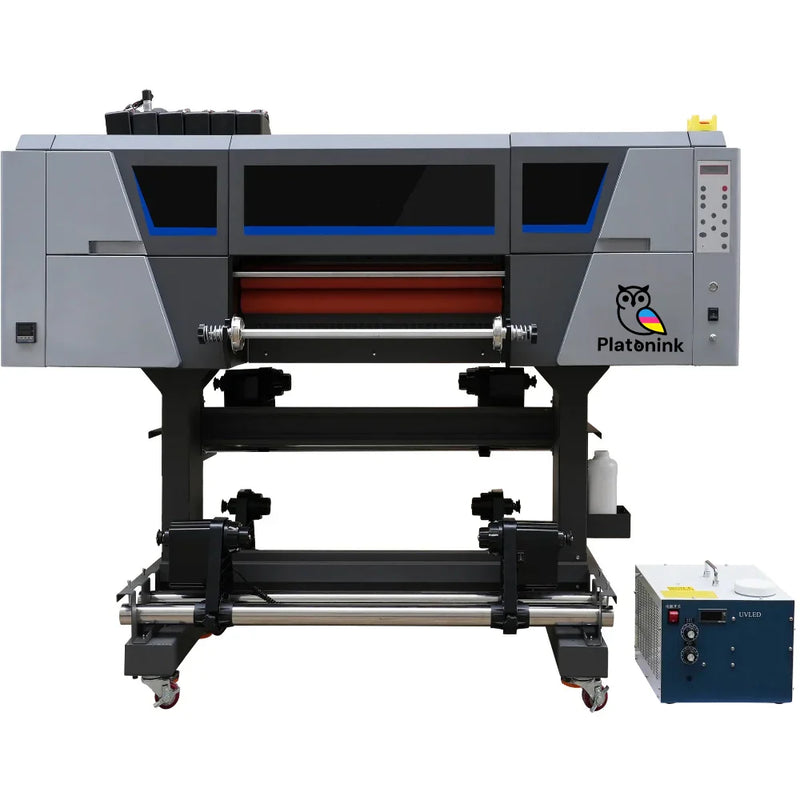
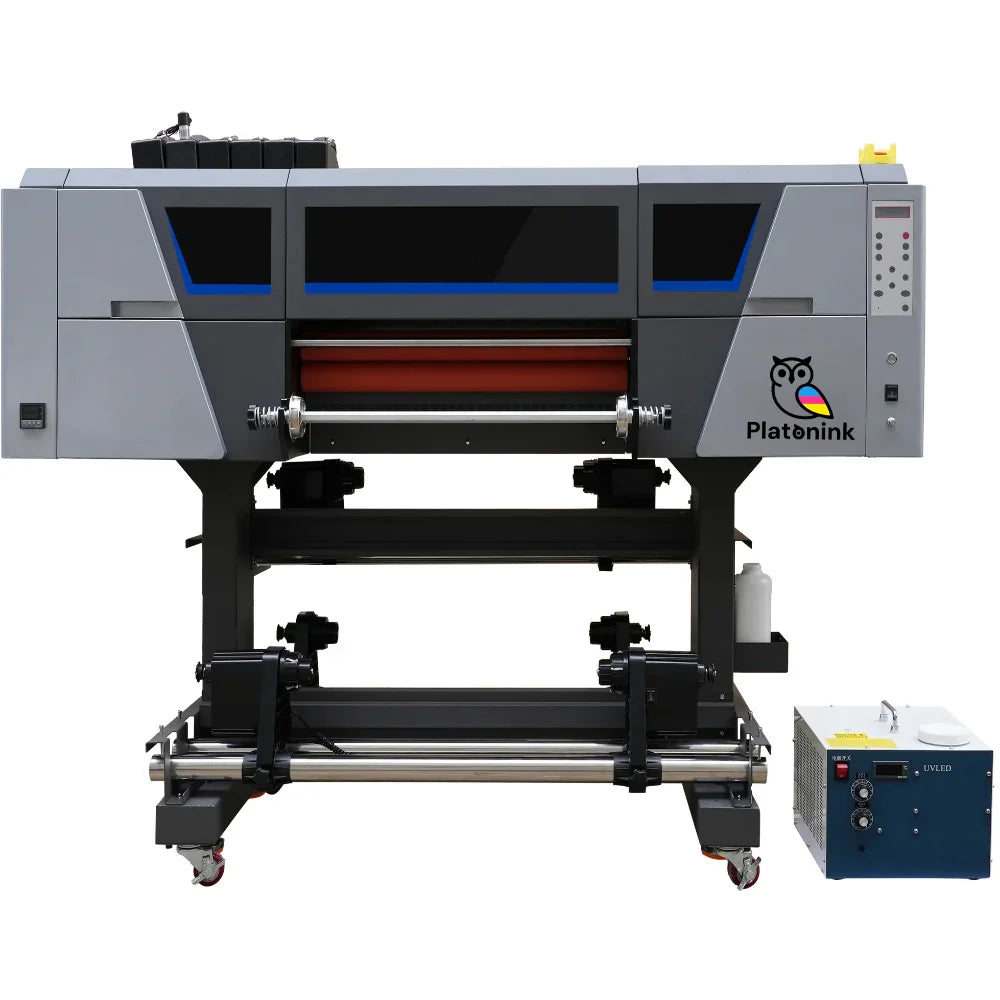
Platonink | 16" 3 Head UV DTF Printer
Inch ↔ Feet Converter
Orders placed before 2:00 PM Central Time (CST) will be shipped the same day. Orders placed after 2:00 PM will be shipped on the next business day.
For local pickup, place your order by 11:00 AM CST to qualify for same-day pickup. Orders placed after that time will be available the following business day.
We're here for you — anytime, day or night. Whether you have questions, need help with an order, or run into an issue, our team is always ready to assist.
📞 For urgent matters, call us at
+1 (682) 354-4200
📧 Or email us anytime at
order@dtfprints2go.com
💬 Live chat and contact form options are also available for your convenience.
Your satisfaction is our priority.
 The Fastest DTF
The Fastest DTF
The Fastest DTF
The Fastest DTF
The Fastest DTF
The Fastest DTF
The Fastest DTF
The Fastest DTF
The Fastest DTF
The Fastest DTF
The Fastest DTF
The Fastest DTF
The Fastest DTF
The Fastest DTF
The Fastest DTF
The Fastest DTF
The Fastest DTF
The Fastest DTF
The Fastest DTF
The Fastest DTF
The Fastest DTF
The Fastest DTF
The Fastest DTF
The Fastest DTF
The Fastest DTF
The Fastest DTF
The Fastest DTF
The Fastest DTF
The Fastest DTF
The Fastest DTF
The Fastest DTF
The Fastest DTF
The Fastest DTF
The Fastest DTF
The Fastest DTF
The Fastest DTF
The Fastest DTF
The Fastest DTF
The Fastest DTF
Printer Specifications:
-
Dimensions:
-
Printer: 45" x 28" x 24" (L x W x H); Weight: 264 lbs
-
-
RIP Software: Maintop (Upgradeable upon request to Photoprint and other options)
-
Printheads: 3 × i1600 U1-3H
-
Maximum Print Width: 16"
-
Color Configuration: CMYK + White + Varnish
-
Printing Speed: 14 sqft/hour (i1600 U1-3H)
-
Training & Support: Included
-
Warranty: 2-year DTF Printer Warranty
Technical Requirements:
-
Minimum PC Specifications: Intel Core i5 (10th Gen or equivalent) CPU or higher, 16 GB RAM, 256 GB SSD
-
Operating System: Windows only
-
Recommended Skills: Basic knowledge of Adobe Photoshop and Adobe Illustrator
Operating Environment:
-
Use the printer in a clean, dust-free environment
-
Optimal temperature: 60–85°F
-
Recommended humidity: 46–65%
Power Requirements:
-
Printer: 110V / 16A
Professional UV DTF Printing with Precision and Speed
Get pro-level UV DTF printing in your shop with the Platonink 16 3-Head UV DTF Printer. It's a workhorse made for accurate, consistent, and long-lasting prints. It has three advanced printheads (i1600 U1-3H or Epson I3200U1) that give you smooth color changes, bright CMYK+White+Varnish layers, and a super glossy finish.
Perfect for labels, custom product manufacturers and DIY artists. The automatic UV curing system makes things faster while keeping the prints tough and clear. The 16-inch print width is perfect for businesses that want something small but strong. It’s built to run without problems in a clean space, and it's easy to use while giving you great colors. Each printer comes with setup training, complete tech help, and a 2-year warranty, so you can be confident in every UV DTF thing you make.
Product Specifications
Fast, Sharp Printing:
With 3 industrial-grade print heads, the Platonink UV DTF Printer prints up to 14 square feet an hour. Great for printing a lot with great quality and smooth color changes.
Amazing Color:
With CMYK + White + Varnish, your prints are vibrant, shiny, and cover transparent or colored films perfectly. Each layer hardens fast for sharp, tough results.
Auto UV Hardening:
The UV LED light hardens the ink as it prints, giving your designs a pro look that's dry, tough, and ready to use.
Scratch-Proof Prints:
The prints don't fade, peel, or scratch, even on phone cases. Great for stickers, phone cases, packaging, glass, acrylic, metal, and more.
Steady Performance:
The printer’s anti-static, dust-proof setup keeps things running smoothly, with steady ink flow, and the same quality for long print jobs.
Why Get the Platonink 16 3-Head UV DTF Printer?
Pro Results Each Time:
Made for detail and color, it prints strong UV DTF transfers that look great on anything.
Simple to Use:
Easy controls, auto height, and smart print alignment make it simple to use, even if you're just beginning with UV DTF printing.
Strong Print Heads:
The 3 heads can handle big print jobs while keeping accuracy and consistent color, so you can use it for both small and bulk batches.
Good Print Width:
At 16 inches wide, it's great for small custom prints and bigger sheets, perfect for labels and ads.
Built to Last:
Made of strong stuff and with a dependable UV system, this printer works steadily for years.
Best For:
-
Small and medium print shops
-
Printing strong UV DTF transfers for brands and labels
-
Making stickers for phone cases, glass, acrylic, and metal
-
Custom packaging and decorating products
-
Fast printing in clean places
How to Use:
-
Get Your Design Ready:
Upload your art to a RIP software (like Maintop or Photoprint) and set print options for CMYK + White + Varnish layers. -
Load Your UV DTF Film:
Add a film in for printing, making sure it’s lined up right and clean for a good stick. -
Print & Harden:
Print your design with UV hardening. The ink hardens right away for quick, dry results. -
Put on a B Film:
Laminate the A film with the B film to make a UV DTF sheet. -
Add the Sticker to a Surface:
Peel and stick your UV DTF transfer on anything smooth like glass, plastic, metal, or acrylic.
Maintenance Tips
-
Keep the printer away from dust for the best results.
-
Clean print heads often to keep ink flowing.
-
Keep UV ink cool and dark to keep it thick.
-
Use only Platonink UV inks and films for the same great quality.
-
Keep ink and film out of UV light before using.

There isn’t a one-size-fits-all setting for every heat press—it’s all about finding what works best for your machine. For DTFprints2go transfers, start by using a temperature 320°F and press for 9–15 seconds. Always apply the highest possible pressure during the transfer. With a bit of testing, you’ll dial in the perfect settings to ensure consistent and high-quality results every time.
Preparation and Printing:
Begin by placing your desired design onto the garment in the correct position. Make sure to smooth out any wrinkles on the fabric before pressing. Then, based on the garment type, apply the transfer using the recommended heat settings. Following these steps will help you achieve vibrant, long-lasting prints with your
DTFprints2go transfers.

Orders placed before 2:00 PM Central Time (CST) will be shipped the same day. Orders placed after 2:00 PM will be shipped on the next business day.
For local pickup, place your order by 2:00 PM CST to qualify for same-day pickup. Orders placed after that time will be available the following business day.
Shipping typically takes 1–7 business days, depending on your location and the shipping method selected at checkout.
If you receive a damaged or defective item, please contact
DTFprints2go within 7 days of receiving your order for support and resolution.
RGB / CMYK COMPARISON
Get the DTFprints2go Color Chart for perfect color matching.
 CMYK MODE
 RGB MODE
Customer Reviews

How to Use the Gang Sheet Builder
- Learn how to use our DTF Gang Sheet Builder and place your order step by step. This video will guide you through uploading your designs, arranging them on the sheet, and completing your purchase easily.